F216
F216

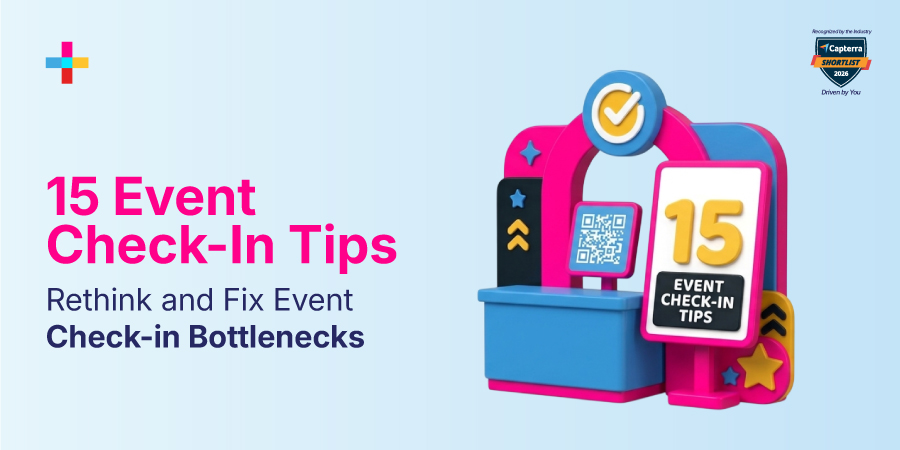

Event check-in delays are often misdiagnosed as technology or staffing issues. In reality, they come down to throughput.
You see it almost immediately. The first 20–30 minutes set the tone when attendee arrivals peak. Most plans assume a steady flow. That’s not how it plays out. Attendees arrive in clusters like before opening sessions, after breaks, or within tight windows.
If verification takes 20 seconds per attendee, adding more staff won’t prevent queues. Onsite check-in performance is defined by processing time per attendee and the number of active stations, not headcount alone.
This guide outlines 15 event check-in tips used by professional teams to increase processing capacity, remove entry bottlenecks, and keep entry flow controlled from the start.
How Event Check-In Throughput Actually Works
Event check-in operates as a throughput system. Throughput refers to how many attendees can be processed and admitted within a given period of time, usually measured per minute or per hour. It reflects the system’s actual capacity to move people from arrival to entry.
At the entrance, capacity defines performance. Every attendee moves through the same sequence. What matters is how quickly each transaction clears and how many can clear in parallel.
Two variables set that capacity.
- Processing time per attendee: The full transaction cycle, from ticket scan to access.
- Active processing points: The number of stations handling attendees simultaneously.
Together, these define how much volume the system can absorb per minute. Once arrival demand moves beyond that threshold, the system falls behind and queues begin to form.
How Arrival Patterns Change the Check-in Situation
Most entry plans are built on average flow. Entry patterns don’t behave that way.
Arrival volume concentrates around specific triggers. Opening windows, session starts, and break releases compress attendees into short intervals. That is when the system is tested.
If capacity is set for average volume, it fails under peak load.
For example:
- 20 seconds per attendee
- 3 attendees per minute per station
- 5 stations → 15 attendees per minute
If arrivals hit 30 per minute, the system clears only half the volume. The remainder shows up as a queue.
Common Event Check-In Problems Organizers Face
It’s easy to blame the rush at the entrance for check-in delays. But most problems start with how the system is set up before attendees arrive.
- Check-in staff are not fully briefed on tools or roles
- Attendee lookup takes longer than it should
- Entry gates open late and compress arrivals into one window
- The check-in layout creates crossing lines and congestion
- Attendees reach the scanner without tickets ready
- VIPs, speakers, and general attendees share the same queue
- Registration records are missing or inaccurate at check-in
- Attendees stop at the entrance due to lack of clear direction
- Check-in slows or stalls when systems fail
Types of Event Check-In Methods Used by Event Organizers
Event check-in, being the first on-site experience, has a big impact on overall attendee flow for all event types. The check-in method you choose directly affects processing speed, consistency, and how well the system holds during the highest arrival period.
Below are five common event check-in methods used by event organizers.
1. Manual Check-In
In manual check-in, staff search attendee records and confirm entry using a laptop or tablet with pre-loaded lists.
It’s ironic that this still shows up at events. The setup is digital, but the process still depends on manual lookup.
It works for smaller events. As attendance increases, lookup slows down and errors become more likely, especially during peak arrival.
2. QR Code Event Check-In
QR code check-in uses scan-based verification to confirm registration instantly.
This is where most events have moved. Attendees show a code, staff scan it, and entry is cleared in seconds without searching through lists.
It keeps processing time consistent and holds up well when volume increases.
3. Self-Service Check-In Kiosks
Digital kiosks allow attendees to check in on their own by scanning their tickets at the entrance.
They work well when you want to increase capacity without adding more staff. During peak periods, they take pressure off the main check-in stations.
That said, they don’t eliminate the need for staff. Someone still needs to handle exceptions and guide attendees who get stuck.
4. Mobile Check-In Apps
Mobile event apps allow staff to verify attendee tickets using smartphones or tablets for check-in.
This gives teams flexibility. Instead of being limited to fixed stations, staff can move, open new entry points, and respond to where the crowd is building.
It’s often the easiest way to add capacity without changing the entire setup.
5. RFID or Smart Badge Check-In
RFID or smart badge check-in uses event badges embedded with RFID chips to automatically track attendee entry. When attendees pass through scanners, their entry is recorded instantly.
This is typically used in large exhibitions and conference management where organizers need fast entry processing and detailed attendance tracking.
The trade-off is setup. It requires more infrastructure and higher upfront cost, so it’s usually reserved for high-scale events.
How to Structure Event Check-In for Faster Entry
Faster check-in doesn’t come from fixing one thing. It comes from how the entire setup works together before the event even starts.
Most teams that get this right focus on four things: unified data, a consistent verification method, enough capacity for peak arrival, and a layout that keeps people moving.
Step 1: Standardize and Centralize Attendee Data
Start with a clean, centralized attendee database where registration details, ticket types, and access levels are easy to search in real time.
When attendee data is structured properly, verification becomes quick and consistent. When it’s not, every lookup adds friction at the entrance.
Step 2: Define the Verification Method
Pick one primary verification method and keep it consistent across all check-in stations.
QR scanning or digital credentials work best because they remove check-in variation. Everyone follows the same process, and verification takes seconds instead of slowing down at each station.
Step 3: Design Entry Capacity Based on Arrival Volume
Plan capacity based on how attendees actually arrive, not how you expect them to.
That means deciding how many stations, devices, and staff you need during peak windows, not average flow. When capacity matches those spikes, queues don’t build.
Step 4: Structure Entry Flow and Lane Distribution
Set up entry lanes based on attendee type to control movement in the check-in area.
It means separate flows for pre-registered attendees, walk-ins, and VIPs. This keeps entry moving without buildup at the stations.
Step 5: Assign Operational Roles and Exception Handling
Make roles clear at every check-in station. Who verifies, who handles issues, who manages the queue.
More importantly, don’t let exceptions slow down the main flow. Keep issue handling separate so standard check-in keeps moving.
Step 6: Validate the System Before Event Day
Run the full check-in setup before the event using actual devices, data, and staff.
Don’t just test functionality. Simulate peak conditions. That’s where gaps show up.
15 Event Check-In Tips for Faster Event Entry
Event check-in tips help teams execute the check-in system under real conditions. These tips work together to focus on reducing verification time and maintaining consistent throughput at entry points.
1. Send Digital Tickets Before the Event
Send digital tickets or QR codes to attendees in advance so they arrive ready for verification. When attendees arrive with tickets ready, staff can verify registrations immediately without searching for attendee records.
This avoids delays at the front of the line, where even small slowdowns affect everyone behind.
2. Use QR Code Scanning Instead of Manual Lists
Manual lookup introduces variation at every station. Some attendees take seconds, others take much longer. That inconsistency breaks flow under peak load.
Scan-based verification removes that variation. Every attendee is processed in the same time window, which is what keeps the system stable when volume increases.
3. Add Multiple Check-In Stations
A single station sets a hard limit on how many attendees can be processed. If arrival volume is high, a single station cannot process attendees fast enough.
Adding stations increases parallel processing capacity, which is the only way to absorb peak arrival volume.
4. Use Clear Signage to Guide Attendees
Direct attendees to the correct entry lane before they reach the check-in point. When attendees choose lines on their own, some stations overload while others stay underused.
Clear signage such as pre-registered, walk-in registration, or VIP check-in helps balance attendee flow right from the beginning.
5. Plan a Separate Help Desk for Registration Issues Only
This is one of the most common, yet often overlooked points. Lines are often due to people not knowing which is the registration queue and which is the help desk.
Prepare a dedicated and clearly highlighted check-in help desk away from the check-in area to troubleshoot registration issues without interrupting the primary entry workflow.
6. Allow Early Check-In for VIPs and Speakers
VIPs, guests, and speakers often arrive close to their scheduled sessions. Waiting in long lines can delay their participation.
Provide early or express check-in for them to ensure quick check-in without disrupting the general check-in process.
7. Pre-Print Attendee Badges When Possible
Badge printing may slow down entry when done at the check-in station. Each print job adds additional processing time.
Pre-printing badges allows staff to simply verify registration and hand the badge to the attendee, reducing check-in time significantly.
This works best for fixed attendee groups such as VIPs or confirmed participants. For large events with variable attendance, on-site badge printing helps avoid badge wastage.
8. Pre-Assign Check-In Stations by Attendee Segment
Assign attendees to specific check-in stations or zones in advance, based on ticket type or registration group.
When all attendees choose lines on arrival, distribution becomes uneven. Some stations overload while others remain underused.
Pre-assigned lanes or station mapping keeps load balanced and prevents localized bottlenecks at the entrance.
9. Keep Backup Internet or Offline Check-In Tools
Digital check-in systems depend on internet connectivity. Network disruptions can stop ticket verification if no backup plan exists.
Offline check-in tools help onsite staff to continue verifying registrations even when internet access is temporarily unavailable.
10. Enable Self-Service Check-In Kiosks
Self-service kiosks powered by check-in apps such as EntryPilot Kiosk App allow attendees to scan their tickets and complete check-in themselves.
This feature adds processing capacity during peak entry without increasing staff load at large conferences.
11. Position Staff Before the Check-In Point to Prepare Attendees
Attendees often reach the scanner without their ticket open or ready. That delay happens at the front of the line, where even a few seconds slow down everyone behind them.
Position support staff along the queue to prompt attendees to open their tickets before they reach the check-in station. This helps keep the verification point focused on processing rather than handling avoidable delays.
12. Design a One-Way Entry Architecture (No Backflow)
Check-in areas often fail because completed attendees cross paths with incoming queues. This creates friction, slows movement, and disrupts station access.
Design a unidirectional flow where entry, verification, and exit paths never intersect.
13. Prevent Batch Arrival Collisions
Certain triggers like mismatched session management, shuttle drops, or group arrivals, release large attendee batches simultaneously. These spikes overwhelm check-in regardless of planning.
Identify these triggers in advance and either stagger them or prepare surge capacity specifically for those moments.
14. Decouple Interdependent Check-in Processes
When verification, badge printing, issue resolution, and access control are tightly coupled, a delay in one propagates to all others. This creates cascading failures.
Break the system into independent processing units so delays in one function do not degrade overall throughput.
15. Treat Check-In as a Real-Time System, Not a Static Setup
Check-in is dynamic. Arrival patterns shift, staff performance varies, and system conditions change. Static setups cannot adapt.
Continuously adjust station allocation, staff positioning, and entry flow based on live conditions rather than fixed plans.
DIY Event Check-In Tips for Small Events
DIY event check-in tips help small event organizers manage attendee entry without complex check-in infrastructure. Smaller events often operate with limited staff and budget, so the focus is on reducing manual verification and keeping entry flow organized.
Event teams running small events commonly use these DIY event check-in tips:
- Generate QR Code Tickets Using Affordable Ticketing Tools
QR codes allow staff or volunteers to scan attendee tickets using a smartphone or tablet. This verifies registrations quickly and removes manual attendee lookup.
- Use Mobile Devices, Tablets or Laptops for On-Site Check-In
Tablets or laptops can be used to access the attendee list and record check-ins as guests arrive.
- Assign Volunteers to Manage Entry Lines
Volunteers can guide attendees to the correct check-in point and help maintain organized entry lines.
While these methods are simpler than enterprise event platforms, they support organized event check-in for smaller events when the process is planned in advance.
Event Check-In Best Practices for Large Conferences
Large conferences require a structured event check-in infrastructure to manage high attendee volumes. When thousands of attendees arrive within a short time window, the check-in system must verify registrations quickly while maintaining steady entry flow across the venue.
Event teams managing large conferences rely on several operational components:
- Multiple Venue Entry Points
Opening multiple entrances distributes attendee arrivals across the venue. This prevents large crowds from forming at a single-entry location and helps balance arrival volume.
- Distributed Check-in Stations
Check-in stations placed across different entrances increase entry processing capacity. Multiple stations allow staff to verify registrations simultaneously and maintain consistent attendee throughput.
- Dedicated Badge Printing Counters
Separating badge printing from registration verification prevents printing delays from slowing down the primary check-in line.
- RFID-based Attendee Tracking
RFID badges automatically verify attendee entry and record attendance data. This reduces manual verification and supports real-time tracking during large conferences.
- Security Screening Coordination
Check-in workflows should align with venue security screening procedures. Coordinating these processes helps maintain steady entry flow during peak arrival periods.
When these operational systems work together, large conferences can process thousands of attendees while maintaining steady entry throughput and preventing congestion at the venue entrance.
Technology That Improves Event Check-In Efficiency
Event check-in efficiency depends on how quickly attendee data can be verified and processed at the venue entrance. Fragmented tools slow down verification, while connected systems allow teams to manage entry with consistency and control.
Modern event platforms combine key capabilities that directly impact check-in performance:
QR Code Ticket Validation Ensures Consistent Processing
QR code scanning verifies registrations instantly at the point of entry. Using event check-in software, staff can scan tickets and confirm attendee status without manual lookup.
This reduces processing time per attendee and stabilizes verification speed across all stations.
Automated Badge Printing Prevents Workflow Disruption
Badge printing systems generate credentials immediately after verification. With integrated badge printing solutions, printing is triggered as part of the check-in workflow instead of a separate step.
This prevents delays caused by manual badge handling and keeps entry flow continuous.
Real-Time Attendance Tracking Enables Active Entry Control
Check-in systems record attendee entry as tickets are scanned. Through event reporting and analytics tools, teams can monitor attendance in real time and identify entry surges as they happen.
This enables faster operational adjustments during peak arrival periods.
Mobile Check-In Apps Improves Entry Experience
Mobile devices allow staff to verify attendees without being restricted to fixed stations. With mobile event apps, teams can deploy additional verification points during high-volume periods.
This adds flexibility and helps balance load across entry points.
Unified Attendee Database Improves Operational Control
A centralized system stores all attendee records in one place. Using event registration and ticketing software, staff can access accurate registration data instantly during check-in.
This eliminates delays caused by disconnected systems and ensures consistent verification across all stations.
What Event Check-In Data Tells You After the Event
Event check-in data shows how your entry system performed under real conditions. It highlights where throughput holds and where it drops, and which parts of the workflow created bottlenecks.
Event teams should treat this data as operational signals, not reports.
Arrival Patterns Reveal Capacity Gaps
Check-in timestamps show when attendees arrived and where demand exceeded capacity.
Clustered arrivals signal the need to adjust staffing, increase stations, or control entry flow during peak windows.
Processing Time Indicates Workflow Efficiency
Average check-in time shows how efficiently each attendee is verified.
Longer times indicate workflow friction or inconsistent execution that needs standardization.
Station Performance Exposes Resource Imbalance
Station-level data shows how workload is distributed across check-in points.
Uneven output signals poor queue distribution or staff allocation that needs rebalancing.
Registration-to-Attendance Conversion Signals Forecast Accuracy
Comparing registrations with actual check-ins shows how accurately attendance was predicted.
Large gaps indicate planning errors that impact staffing, badge printing, and capacity setup.
Conclusion
Event check-in is not simply a registration step. It is a critical operational control point that influences attendee experience, event security, and schedule reliability.
When organizers design structured check-in workflows, assign clear staff roles, and deploy an appropriate event tech platform like Eventcombo, they can manage registration, ticketing, and check-in using centralized attendee data. Book an Eventcombo demo to see how a unified event platform reduces entry delays during check-in and ensures steady attendee flow.
A well-organized event check-in system supports reliable event schedules, improves coordination across event teams, and provides accurate attendance data that can be used to optimize entry operations for future events.