F216
F216

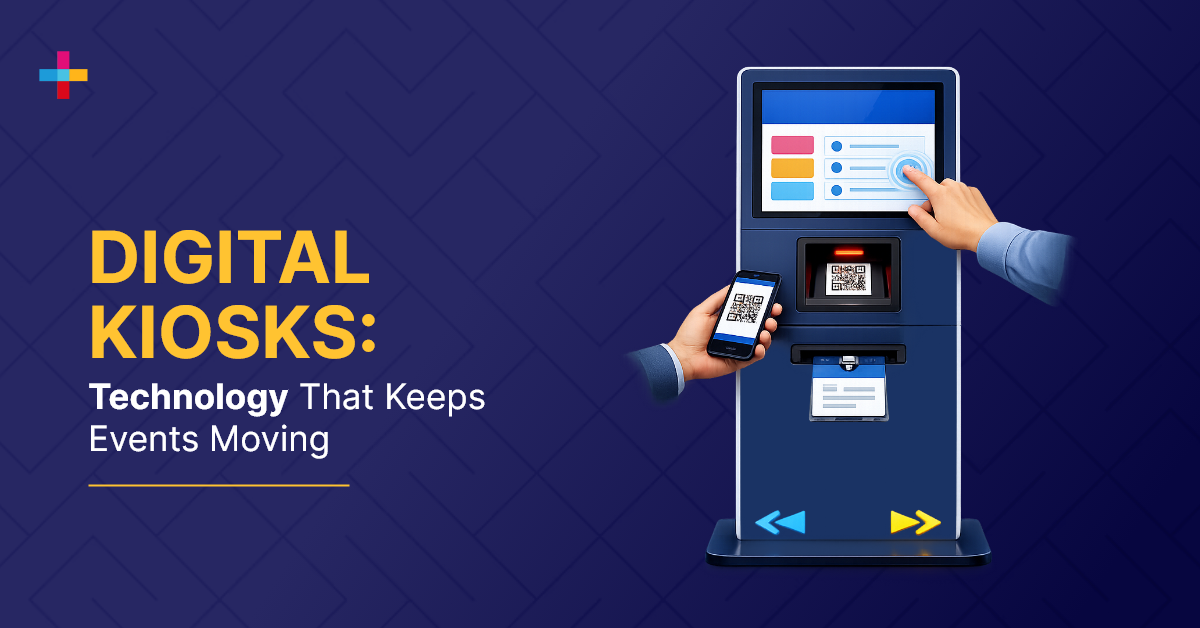

Digital kiosks for events are improving the onsite event experiences by creating a direct interface between attendees and core event systems. By enabling self-service check-in, real-time navigation for event wayfinding, and continuous data capture, digital kiosks reduce friction, improve accuracy, and support more reliable event execution.
Rather than functioning as standalone tools, kiosks play a role in maintaining continuity across event workflows. They connect attendee actions with underlying systems, ensuring that data is captured, updated, and accessible throughout the event lifecycle.
This blog breaks down how digital kiosks operate within event environments, where they add the most value, and how they contribute to more structured and reliable event execution.
What Are Digital Kiosks for Events and How Do They Work?
Digital kiosks for events are self-service systems that handle check-in, badge printing, navigation, and attendee interaction in real time. They reduce queues, improve data accuracy, and connect onsite activity directly to event management systems. With digital kiosks, attendees can access event information on their own without needing staff support.
These kiosks are common at large events. They give attendees quick access to key event information onsite. The kiosks offer self-service options that help visitors navigate the venue, buy tickets or merchandise, check session schedules and registration details, make last-minute schedule changes, and more.
Today, 67% of people prefer using self-service options without relying on others to get things done. The rise of self-service kiosks can be largely attributed to this development.
Why Digital Kiosks Are Essential for Event Operations: Key Benefits
Digital kiosks eliminate manual coordination during events by creating a direct interaction layer between attendees and event systems. Most modern events use digital kiosks for the following reasons:
Eliminating Check-in Bottlenecks
Manual check-ins create queues and delays. Using interactive digital kiosks, event planners automate onsite check-in and badge printing, reducing friction during check-in and improving throughput. Solutions like Eventcombo’s EntryPilot Kiosk App enable self-service check-in with instant badge printing, allowing attendees to check in within seconds without staff intervention.
Reducing Onsite Staffing Dependency
Self-service kiosk systems reduce reliance on onsite event staff. This helps event planners use fewer onsite staff while maintaining service consistency throughout the event.
Enabling Real-Time Attendee Interaction
Digital kiosks allow event attendees to access session schedules, speaker updates, product exploration, content recommendations, and more. This supports smoother navigation and more independent access to information throughout the event.
Technical Requirements to Look for in an Event Digital Kiosk System
Using digital kiosks at an event is one thing, but making sure they actually support your event flow is another.
Self-Check-In Capability: The kiosk should allow attendees to check in on their own, confirm their registration, and move through entry without relying on onsite staff. Solutions like Eventcombo’s EntryPilot Kiosk App are built for exactly this, combining self-check-in with instant badge printing to keep entry moving.
Event Experience Fit: The kiosk should function as part of the event experience system, supporting check-in, wayfinding, content access, and attendee interaction in one connected flow.
High-Resolution Displays: It should offer display resolutions with better brightness selection for indoor and outdoor visibility.
Touch Screen Technology: Events kiosks screens must have anti-glare, durable, and multi-touch capabilities.
Network and Connectivity Infrastructure: Digital kiosks should have built-in Wi-Fi, wired Ethernet, or 4G/LTE connectivity.
Device Security: It should also have built-in data encryption facilities with lock and unlock features.
Accessibility Features: For inclusivity, choose digital kiosks that offer contrast, text size, and voice options.
Accessories: To make the kiosks an all-in-one-station, you must look if they offer expandability for printers, barcode scanners, RFID, NFC, facial recognition, and thermal sensors.
6 Digital Kiosk Use Cases in Events
Now once you’re clear on the experience, this is where you start plugging kiosks into those touchpoints.
Registration and Queue Management
Self-service event registration kiosks allow attendees to quickly register and collect their badges. In addition, attendees can access and view their registration details and ensure they are accurate and up to date. This prevents that drop in attendee interest when lines are visible and sets the tone right from the start.
Venue Navigation and Wayfinding Systems
Event planners use digital kiosks as wayfinding stations. They show interactive maps and directories that guide attendees across the premises. Because no one likes to feel lost after entering a venue.
This is particularly important if you have booked a large venue and have a long event schedule. Self-service digital kiosks empower people to navigate the venue with their interactive and user-friendly tools. It allows people to locate specific areas of event, such as exhibitor booths, restrooms, restaurants, merchandise booths, and other points of interest.
For example, REDYREF’s interactive wayfinding kiosk allows guests to locate people, offices, and meeting rooms, sending venue maps straight to their devices!
Event Gamification and Engagement Zones
Digital kiosks offer many ways to implement gamification strategies to enhance your event experience. Organizers can make event-themed trivia quizzes, puzzles, and photo challenges. Digital kiosks can also support AR experiences such as virtual tours.
Events should use digital kiosks as an entertainment hub dedicated to make the experience more engaging. Guests can receive free materials, listen to music, podcasts, and stream the content they wish during breaks.
Sponsor Promotions and Digital Advertising
Digital kiosks are customizable. You can customize them to display content like static ads and promotional videos for sponsors promoting their business without any disruption.
Event planners also use ultra-HD 4K display kiosks that are ideal for delivering e-literature, poster sessions, and product launches.
Interactive Product Showcases
Transform product showcases by using the dynamic display of customized digital kiosks to captivate the attendees. Display product slideshows, allow attendees to explore the products, select their favorites, show the features, answer common queries related to the products with an option to buy.
Using kiosks to create a more interactive product experience and a more personalized attendee journey can encourage potential buyers to take the next step.
Lead Capture and Data Collection
Interactive self-service kiosks are set up at strategic places to allow visitors to input their business details conveniently. Kiosks are excellent options to offer contact and lead forms that transmit to the customer relationship management systems. You can then analyze the information and create relevant follow-up calls.
Digital Kiosks vs Traditional Event Operations
Here’s how digital kiosks compare to traditional event operations:
|
Operational Dimension |
Traditional Approach |
Digital Kiosk System |
Operational Impact |
|
Check-in Throughput |
Manual verification |
Automated self-service |
Reduces queue time and increases entry capacity |
|
Navigation Efficiency |
Staff dependent |
Interactive wayfinding |
Eliminates attendee confusion and reduces staff load |
|
Engagement Model |
Static formats |
Dynamic interaction |
Increases dwell time and participation rates |
|
Data Capture |
Post-event entry |
Real-time sync |
Enables immediate insights and faster decision-making |
|
Data Accuracy |
Prone to human error |
System-driven input |
Improves data reliability |
|
Resource Utilization |
High staffing dependency |
Self-service automation |
Reduces onsite staffing and operational costs |
|
System Integration |
Disconnected tools |
Unified platform integration |
Eliminates data silos |
|
Scalability |
Limited by manpower |
Scales with infrastructure |
Supports large attendee volumes |
|
Reporting Speed |
Delayed reporting |
Live dashboards |
Enables real-time operational control |
Common Challenges with Digital Kiosks and How to Solve Them
Digital kiosks improve your event execution, but performance depends on how well they are deployed within the event system.
The following are some digital kiosks challenges and how you can solve them.
Hardware Failures
Digital kiosks fail during high-traffic environments. Deploying backup units and redundancy solves hardware problems and helps prevent entry bottlenecks and keeps check-in running without disrupting attendee flow.
Connectivity Issues
Unstable internet can interrupt registration, data capture, and navigation services. Systems with offline functionality and automatic data sync solve connectivity issues, maintain continuity, and keep event operations stable.
Poor User Experience Design
If the user interface is complicated, attendees won’t want to waste time figuring out how kiosks work. It means event planners still need onsite staff alongside the kiosks. Intuitive layouts with guided workflows reduce friction and keep interactions self-service. This directly impacts engagement rates and processing speed.
Data Fragmentation
When kiosks operate through disconnected systems, data gets split across tools. This leads to inconsistent reporting and delays in decision-making. To solve this, integrate kiosks into a unified event tech platform like Eventcombo where registration, engagement, and analytics operate on a shared data layer.
The Role of Unified Event Technology in Kiosk Performance
Digital kiosks are not standalone tools. They function as execution endpoints within a broader event technology system.
When kiosks are integrated into a unified platform like Eventcombo, every interaction connects to a single operational layer:
- Registration, engagement, and analytics operate on shared infrastructure
- Attendee interactions are captured and updated in real time
- Event teams gain continuous visibility into performance and flow
This level of integration removes the need to manage multiple disconnected tools. Instead of switching between systems, teams operate from a centralized environment where data remains consistent across all touchpoints.
For event planners, this changes how events are planned and managed. Check-ins, session engagement, and lead capture no longer function as isolated activities. They become part of a continuous data stream, allowing event teams to monitor activity, identify gaps, and respond to gaps immediately.
Conclusion
Onsite performance depends on how well your systems handle volume, timing, and attendee movement simultaneously. Kiosks play a key role in stabilizing these moments by standardizing check-in, reducing variability, and keeping processes consistent across entry points.
Their real value shows up when they are connected to the rest of your event infrastructure. When attendee data, check-in activity, and engagement signals are all synchronized, teams are no longer piecing together information from multiple sources. Instead, they operate with a clear, unified view of what’s happening onsite.
This creates a more controlled environment where decisions are based on live data, not assumptions.
If your goal is to run events without increasing complexity, the focus should be on how your systems work together, not just the tools you use.
Eventcombo combines self-service kiosks, on-demand badge printing, and real-time analytics within a single connected platform, backed by onsite technical support and 24/7 human assistance.
Ready to simplify your onsite event management? Book a demo with Eventcombo.