F216
F216

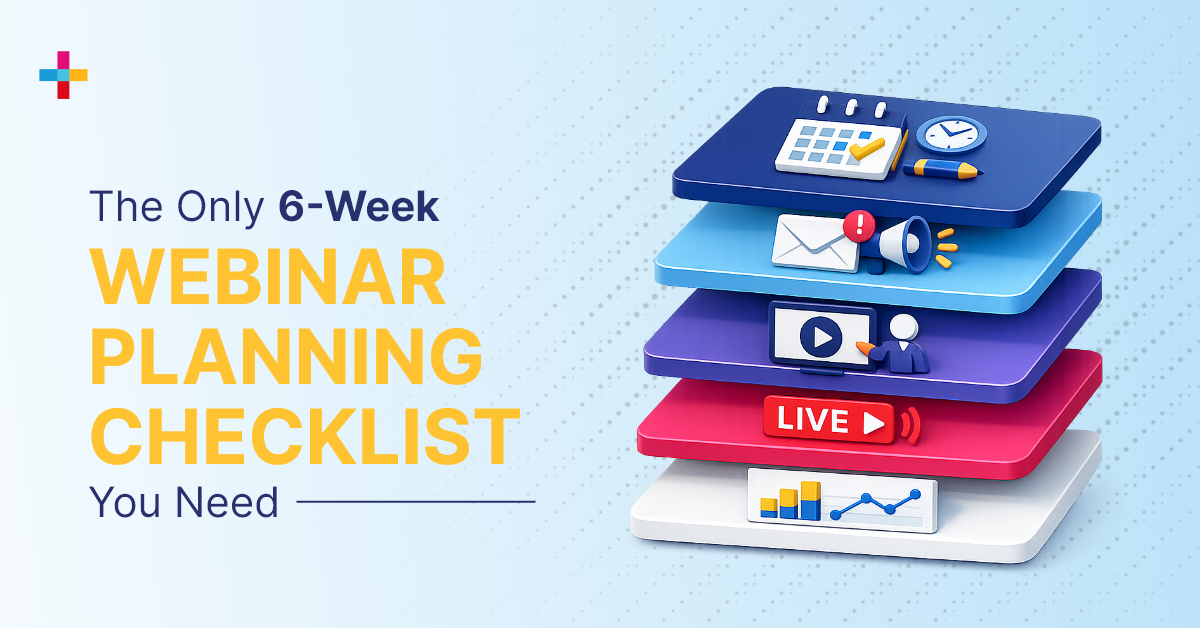

Webinars look simple on the surface. Pick a topic, invite a speaker, hit “go live.” But anyone who’s hosted one knows that’s not how it actually works.
Planning a successful webinar isn’t a one-and-done effort. It requires preparation before the event, coordination during the live session, and follow-up after it ends, all aligned with your goals and KPIs.
We host webinars regularly, and we’ve seen where things usually get messy. We understand common challenges. That’s why we’ve put together a complete webinar planning checklist to help you stay ahead and host a webinar the way it’s supposed to be done.
Webinars involve many moving parts, from setting goals and choosing the right format to managing speakers, webinar tech, and promoting your event. Webinars can also be strong lead-generation channels. That’s what makes webinars such a strong digital marketing channel, and this checklist helps you execute them well.
What is a Webinar Planning Checklist?
A webinar planning checklist is a step-by-step framework for planning, promoting, delivering, and following up on a webinar without losing control of timelines, speakers, technology, post-event reporting, analytics, and conversion goals.
- Set goals and KPIs
- Research audience and topic
- Build registration and promotion systems
- Rehearse speakers and lock the run of show
- Track live engagement
- Follow up and score leads
- Review performance and improve the next webinar
Webinar Planning Checklist (Step-by-Step Table)
|
Stage |
What to Do |
Why It Matters |
|
Define Goals & KPIs |
Set clear objectives and success metrics |
Aligns the webinar with measurable outcomes |
|
Research Audience |
Identify audience needs, interests, and pain points |
Ensures content relevance and higher engagement |
|
Choose Topic & Format |
Select a compelling topic and webinar format |
Drives registrations and audience interest |
|
Set Date & Platform |
Schedule the webinar and choose the right platform |
Impacts attendance and execution quality |
|
Build Event & Landing Page |
Create webinar page with key details and CTAs |
Converts visitors into registrants |
|
Launch Promotion Campaigns |
Use email, social media, and paid channels |
Increases reach and registrations |
|
Optimize Registrations |
Track performance and refine messaging |
Improves conversion rates |
|
Send Reminders & Rehearse |
Email reminders and test speakers/tech |
Reduces no-shows and technical issues |
|
Execute Live Webinar |
Manage flow, speakers, and audience engagement |
Ensures smooth and engaging experience |
|
Analyze & Follow Up |
Review data, send emails, and score leads |
Drives conversions and future improvements |
Want a faster way to manage all of this? Use a webinar platform that handles registration, reminders, live delivery, and reporting in one place.
Now, let’s explore the 6-week webinar planning checklist in detail.
Webinar Planning Checklist: 6 Weeks Before Your Webinar
1. Define Goals and Key Performance Indicators (KPIs)
Why are you hosting this webinar in the first place?
Are you trying to reach a bigger audience, launch something new, or walk people through your product? Maybe it’s about building awareness or driving real interest. Your webinar objective needs to be clear early because it shapes everything that follows in the planning process. Your goals and KPIs determine what you track and how you measure success.
That could include registrations, attendance rate, engagement, or even how many people take the next step after your webinar. When your goals are clear, your metrics actually mean something.
2. Conduct Audience and Market Research
Before you plan anything, understand who you’re talking to.
Where is your audience based? What are they currently interested in? Are they discussing specific problems, tools, or trends in your space? The more you know about them, the easier it becomes to shape your webinar around what they actually care about.
Define your target personas and focus on what they want to learn, not just what you want to say.
3. Choose a Webinar Topic
Now that you understand your audience, it’s time to decide what you’ll talk about.
Your topic matters more than you think. It’s the first thing people notice, and often the reason they decide to register or scroll past. Pick something that speaks directly to their needs and makes them curious enough to learn more. If your topic grabs attention, you’re already halfway there.
4. Plan Budget and Allocate Resources
Even a straightforward webinar still needs real resources behind it.
Start by deciding how much you’re willing to invest based on your webinar goals. A basic setup might work for small sessions, but if you’re aiming to attract a larger audience and generate leads, you’ll need tools and support that can handle the full lifecycle.
Don’t just think about the platform. Budget for content, promotions, and everything that helps people find and engage with your webinar.
5. Assign Roles and Responsibilities
One person might start the webinar planning, but it takes a team to run the webinar well.
From content and design to promotions and tech support, every part needs someone responsible for it. When roles are clearly defined, things move faster, and fewer details slip through the cracks.
Bring the right people in early and make sure everyone knows what they own. A well-aligned team is what turns a good plan into a smooth, successful webinar.
Webinar Planning Checklist: 5 Weeks Before Your Webinar
1. Finalize Presentation Deck and Content
Now it’s time to put your webinar story together.
Create a clear, well-structured webinar deck that explains what your webinar is about, why it matters, and what people will gain from it. This isn’t just for your audience; it also helps you bring in speakers, partners, and sponsors.
Think of it as your pitch. Include the agenda, purpose, expected outcomes, and any past results or speaker highlights.
A strong webinar deck builds confidence and makes it easier for others to say yes to your webinar.
2. Finalize Webinar Format
Now that your goal is clear, it’s time to decide how you want to deliver your webinar.
Different formats work for different outcomes, so choose one that fits what you’re trying to achieve and how your audience prefers to engage.
Here are some of the most common webinar formats to help you decide:
- Presentation / Lecture: A single speaker shares structured insights or information.
- Panel Discussion: Multiple speakers explore a topic from different perspectives, guided by a moderator.
- Interview / Q&A: A host engages with an expert, often bringing in audience questions.
- Fireside Chat: A relaxed, conversational discussion between two speakers.
- Product Demo: Focused on showcasing features, use cases, and real-world applications.
- Training / Workshop: A hands-on session designed to teach specific skills or processes.
- Webinar Series: A set of sessions built around a broader theme to keep your audience engaged over time.
- Ask Me Anything (AMA): An open format where the audience leads with questions.
3. Identify and Finalize Host and Speakers
Now that your webinar is taking shape, it’s time to bring the right people on board.
Your host and speakers play a big role in how your webinar feels and how well it connects with your audience. The right mix adds credibility, keeps the session engaging, and makes the content stronger.
Choosing them becomes much easier once your format is set. A product demo might need someone hands-on with the tool, while a panel or discussion works best with diverse perspectives.
Pick speakers who know the subject well and can communicate it clearly.
4. Select Webinar Platform
Choosing the right webinar platform is one of the most important decisions in the process. It can make or break your webinar. Free tools can get the job done, but their limited features often fall short when it matters most, causing issues like dropped audio, laggy video, or incomplete visibility into what’s actually happening during your webinar.
If you want a smoother experience and better insights for your webinar, use a platform that handles everything in one place, from hosting and engagement to post-event reporting. Eventcombo’s Fireworks comes with comprehensive features such as live-streaming, virtual booths for demos, social media broadcast, custom rooms, and post-event reporting within a single dashboard.
5. Build the Webinar Event and Configure Integrations
Now that your topic, speakers, date, and platform are locked into the webinar plan, it’s time to set everything up.
Start by building your webinar inside your platform. Add all the key details like the name, schedule, access type, and any ticketing or pricing if needed. This is also where you connect your tools, CRM, email, and analytics, so everything works together from the start.
When your setup is clean and connected, the rest of your webinar becomes much easier to manage.
6. Create and Optimize Webinar Landing Page
Now it’s time to give your webinar a place to live.
Your landing page is where people decide if your webinar is worth their time. So, keep it clear, clean, and focused on what they’ll gain. Include the essentials, topic, date, speakers, and a strong call-to-action. But more importantly, make the value obvious.
If your page answers “Why should I attend?” within a few seconds, you’re already doing it right.
7. Launch Webinar Registration Page
Now that the foundation of your webinar is in place, you’re ready to launch registration. But before you do, take a moment to test your page. Check the flow, visuals, form fields, and overall experience to make sure nothing feels confusing or broken. This makes it easier for your audience to do what you want them to do: register for the webinar. Once everything looks good, go live and make it easy for your audience to say yes.
Webinar Planning Checklist: 4 Weeks Before Your Webinar
1. Develop Webinar Agenda and Session Flow
Developing a webinar agenda and session flow is a critical part of webinar planning. It means outlining what will be covered and when.
This helps the host stay on track and ensures the webinar moves smoothly toward its goal. It also makes it easier to assign topics to speakers, manage audience questions, and keep everything running without interruptions.
A clear agenda doesn’t just help during the live session. It also becomes useful later when repurposing your webinar content.
2. Develop Content and Campaign Assets
Now that your registration page is live and your landing page is ready, the next step in webinar planning is to start promoting it. Use your agenda and session flow to create targeted content across channels. This includes emails, newsletters, blog posts, social media graphics, and short video teasers.
Mix formats like text, audio, video, and keep your messaging consistent across platforms to reach your audience effectively.
3. Activate Social Media and Paid Promotion
You’ve created banners, teasers, carousels, and speaker intros. Now it’s time to get them in front of the right audience. Start sharing across social channels and use paid promotion if it fits your plan. Make your value clear and easy to understand. Also, enable sharing and referrals, so your audience helps spread the word and drive more registrations.
Webinar Planning Checklist: 3 Weeks Before Your Webinar
1. Monitor Registration Performance and Conversion Rates
By the third week, you should start seeing solid registration numbers coming in.
If you’re using a comprehensive webinar platform such as Eventcombo’s Fireworks, this stage becomes much easier to manage. Most of it comes down to monitoring performance and making a few adjustments. Tools that give you clear insights help you understand what’s working and what’s not.
If registrations aren’t where you expected them to be, don’t worry. This is the right time to step in, take a closer look at what’s working in your webinar plan, refine your approach, and get things back on track.
2. Optimize Campaign Messaging and Channel Performance
If results still don’t match your goals, take a step back and look at what’s working.
Which channels are driving engagement? Which content is getting attention?
Refine what’s underperforming, adjust your messaging, and align with your team. Sometimes, a small tweak is all it takes to spark curiosity and improve results.
3. Segment Audience and Launch Personalized Emails
As registrations start coming in, you’re also building a valuable audience database. Use it to segment your attendees and send more personalized emails, reminders, quick polls, or surveys. The more relevant your communication feels, the more likely people are to stay engaged and actually show up.
Webinar Planning Checklist: 2 Weeks Before Your Webinar
1. Connect with Speakers for Technical Rehearsals
Connect with your speakers ahead of time and walk them through the event flow, schedule, and platform.
Run a full rehearsal to test everything, audio, video, screen sharing, transitions, and engagement tools. This helps everyone get comfortable and avoid confusion later.
Catching issues early in webinar prep makes a big difference. It ensures that everything runs smoothly and reduces the risk of last-minute technical problems during the live session.
2. Create Personalized Reminder Campaigns
Remind your registrants that the webinar is coming up, but don’t stop at basic emails.
Keep the momentum going with polls, surveys, and simple calls-to-action. A little interaction before the event builds interest and gives people a reason to actually show up.
3. Send Nurture Emails to Registrants and Interested Prospects
Follow-up is where you keep the momentum going.
Create different email journeys based on where your audience stands. Reach new prospects with speaker highlights and clear value. Nurture registrants with helpful content like blogs, guides, and reminders. And for those who showed interest but didn’t sign up, send a personalized nudge or offer to bring them back.
Webinar Planning Checklist: 1 Week Before Your Webinar
1. Send Second Reminder Campaigns
With just a week left, shift your focus to getting people to actually show up. Send another round of reminders with all the key details, date, time, speakers, and access links. This is also your chance to reinforce the value. Remind them why this webinar is worth their time and what they’ll walk away with.
2. Prepare Backup Plans for Technical Issues
Even with the best webinar prep, things can still go wrong.
Have backups ready, extra devices, a stable internet option, and standby content. Being prepared helps you handle issues quickly and keeps your webinar running smoothly without affecting the attendee experience.
3. Lock Final Run-of-Show
Lock in the final webinar flow, timing, speaker transitions, engagement moments like polls and Q&A, and your closing remarks.
This becomes your go-to webinar plan during the live session, keeping everyone aligned and ensuring the webinar runs smoothly from start to finish.
Webinar Planning Checklist: Day of Your Webinar
1. Set Up Access Control and Attendee Entry
Start early and get your webinar room ready before attendees arrive. Check that access links work, permissions are set correctly, and nothing blocks entry. A smooth webinar entry experience matters more than you think, because if people can’t get in easily, they won’t stick around.
2. Monitor Real Time Attendance
As people start joining, keep an eye on the numbers and how things are unfolding. Track the KPIs and metrics you defined in your webinar plan six weeks earlier.
Are attendees logging in on time? Are they engaging continuously during the webinar? This gives you a quick read on the live webinar and helps you adjust your approach if needed to keep energy and participation levels up.
3. Execute Webinar Run-of-Show and Session Flow
At this stage of webinar execution, it’s all about sticking to the plan. Follow your flow, move smoothly between segments, and keep an eye on timing. When everything runs as expected, it keeps your audience engaged and makes the experience feel seamless instead of rushed or disorganized.
4. Manage Speaker Transitions and Timing
This stage of webinar execution requires close coordination with your speakers. Make sure everyone knows when they’re up next and keep transitions clean. Even a small delay or awkward pause can break the momentum of your webinar.
5. Facilitate Audience Engagement (Polls, Q&A, Chat)
Don’t let the session feel one-sided. Support webinar engagement with polls, Q&A, and chat. Ask questions, respond to comments, and keep the audience involved. The more engaged they are, the more likely they are to stay until the end.
6. Monitor Engagement and Interaction Levels
Watch how your audience responds to your webinar. Are they participating? Are they dropping questions on the chat for speakers? If engagement starts dropping, you can step in with a poll or let speakers answer the questions to bring the energy back.
7. Handle Technical Issues and Escalations
Stay ready for anything. If something goes wrong during the webinar, fix it quickly and calmly. Whether it’s a speaker losing connection or an audio glitch, quick action makes all the difference and keeps the experience intact.
8. Track Live Session Data and Performance
Keep track of what’s happening as the webinar unfolds. Attendance, engagement, drop-offs, all of this data matters. It will help you understand what worked and what didn’t, once the webinar is over.
Post-Webinar Checklist: What to Do After Your Webinar Ends
1. Analyze Captured Attendance and Engagement Data
Your job is not done after the webinar ends. In fact, it is a crucial part of the webinar planning checklist you can’t ignore.
Start by analyzing all the data from your session, who attended, how long they stayed, and how they interacted. This gives you a clear picture of what actually happened during the webinar.
2. Analyze Webinar Performance Against KPIs
Now it’s time to look at the bigger picture. Did you hit your goals? Compare your results against the KPIs you defined earlier in the webinar planning checklist, like registrations, attendance rates, drop-offs, and engagement levels. This gives you a clear view of whether your webinar delivered what you expected.
3. Segment Attendees Based on Behavior
Not all attendees are the same. Some stayed till the end, some dropped off early, and some were highly engaged. Segment your audience based on their behavior so you can communicate with them more effectively.
4. Send Follow-Up Emails
Follow-up is where a lot of value comes in. As part of your webinar follow-up plan, send personalized emails to attendees and those who couldn’t make it. Share key takeaways, additional resources, and next steps. This keeps the conversation going even after the webinar ends.
5. Share On-Demand Recording
Make your webinar accessible beyond the live session by sharing the recording with your audience so they can revisit the content or catch up if they missed it. This also helps extend the lifespan of your webinar.
6. Update Lead Scoring and CRM Data
Use the engagement data to update your leads. People who attended and interacted more should be prioritized differently than those who didn’t. This helps your sales and marketing teams focus on the right opportunities.
7. Align Sales Team on Qualified Leads
Bring your sales team into the loop. Share insights on high-intent attendees so they can follow up at the right time with the right context. This is where your webinar starts contributing to real business outcomes.
8. Collect Feedback and Survey Responses
Ask your audience what they thought. Feedback helps you understand what worked well and what didn’t. It also gives you ideas to improve future webinars.
9. Identify Gaps and Improvement Areas
Take a step back and review the entire process. Were there any issues during execution? Did something not go as planned? Identifying these gaps helps you refine your approach for the next webinar.
10. Optimize Strategy for Future Webinars
Lastly, use everything you’ve learned to improve your next event. Apply insights from performance data, feedback, and execution to make your next webinar even better. This is how you build consistency and scale over time.
If your webinar planning still depends on multiple tools, it gets harder to track attendance, engagement, and follow-up clearly.
7 Common Webinar Planning Mistakes to Avoid
- Not setting clear goals and success metrics
- Targeting a broad audience without defined personas
- Choosing topics that don’t align with audience intent
- Skipping technical rehearsals with speakers
- Poorly defined run-of-show and session timing
- Lack of engagement strategy during the live session
- No backup plan for technical failures
Eventcombo Recommended Webinar Planning Best Practices for 2026
- Centralize Your Webinar Operations: Keep everything in one platform instead of juggling multiple tools. Fragmented systems create confusion and data gaps. A single system keeps execution aligned and predictable.
- Define Goals and Metrics Early: Start with a clear purpose before you plan anything else. Your goals determine your format, content, and audience. Without this, everything else becomes guesswork.
- Align Registration with Access: Make sure sign-up and entry work as one system. Broken access is one of the fastest ways to lose attendees. A smooth entry experience improves attendance rates.
- Automate Communication Workflows: Set up emails for confirmation, reminders, and updates in advance. Manual communication leads to delays and inconsistencies. Automation keeps everything timely and reliable.
- Focus on Engagement, Not Just Attendance: Getting people to join is only half the job. What they do during the session matters more. Track interaction to understand real impact.
- Standardize Your Run-of-Show: Create a clear structure for your webinar flow. This keeps speakers, moderators, and sessions aligned. It also reduces confusion during live execution.
- Test Everything Before Going Live: Don’t assume your setup will work. Test audio, video, integrations, and workflows in advance. Small issues caught early prevent major disruptions later.
- Build Backup and Redundancy Plans: Things can go wrong even with preparation. Have backup speakers, internet, or content ready. This ensures continuity without affecting attendee experience.
- Track Data Across the Entire Lifecycle: Capture data before, during, and after the webinar. This helps you measure performance accurately. It also improves future decision-making.
- Connect Webinar Data to Revenue Outcomes: Don’t stop at engagement metrics. Map webinar performance to leads and pipeline. This is how you prove business impact.
Conclusion
You can spend weeks planning a webinar and still walk away wondering what actually worked. It’s even easier to think webinars are just about content and promotion. That’s the gap most teams face when their effort doesn’t always translate into results.
That’s exactly what a webinar planning checklist prevents. It brings everything together, so nothing slips when it matters most.
When your systems, team, and data move in sync, hosting a webinar feels smoother, and the results are clearer. In 2026, it’s not about doing more. It’s about doing it right.
The same discipline applies to every event format, but webinars expose the gaps faster.
Book a personalized demo to plan with clarity, execute with confidence, and turn every webinar into something that actually delivers.